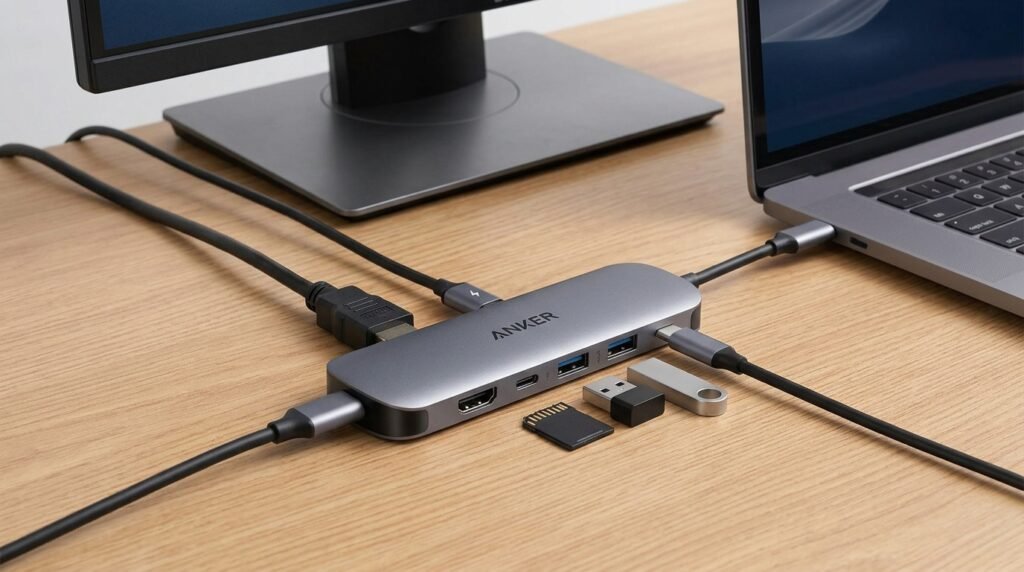
A USB-C hub can make a laptop much more versatile by adding ports that modern computers often leave out.
Anker offers several USB-C hubs designed for different types of users. Depending on the model, you may get USB-A ports, HDMI, SD card readers, Ethernet, and additional USB-C connections.
Best For
Anker USB-C hubs can be a useful option for laptop users who need additional connectivity without carrying a full-size docking station.
They’re especially useful for people who regularly connect external displays, USB accessories, memory cards, or other peripherals.
Key Features
Multiple Connectivity Options
Depending on the model, an Anker hub may provide several ports through a single USB-C connection. This can reduce the need for multiple adapters.
Compact Design
Most USB-C hubs are designed to be relatively small, making them convenient for desks, travel, and work-from-home setups.
HDMI Support
Models with HDMI can allow compatible laptops to connect to an external monitor or TV.
USB-A Ports
If you still use older USB accessories, USB-A ports can save you from carrying separate adapters.
What We Like
The main advantage of a USB-C hub is convenience. Instead of connecting several individual adapters, you can connect multiple peripherals through one compact device.
Anker also offers different hub configurations, so users can choose a model based on the ports they actually need.
What Could Improve
Not every USB-C hub offers the same ports or performance. Some models may lack features you need, while others may include ports you rarely use.
It’s important to check the exact model and specifications before purchasing.
Is It Worth Considering?
An Anker USB-C hub can make sense if your laptop has limited ports and you regularly connect several accessories.
Before buying, check your laptop’s USB-C capabilities and make sure the hub provides the specific ports and features you need.
Always check the latest specifications, compatibility, and availability on the retailer’s website before purchasing.